> ## Documentation Index
> Fetch the complete documentation index at: https://docs.hologrow.ai/llms.txt
> Use this file to discover all available pages before exploring further.
# Meta Ads
> Authorize Meta Ads and verify data sync.
Connect Meta Ads to Hologrow to sync advertising delivery and performance. Actual coverage depends on account permissions and available workspace tables.
## Before you start
A Facebook login with access to the target Meta ad account. Confirm that the account is assigned the relevant ad account permissions in Meta business settings.
## Connection steps
1. Sign in to Hologrow, open **Integrations**, and find **Meta Ads**.
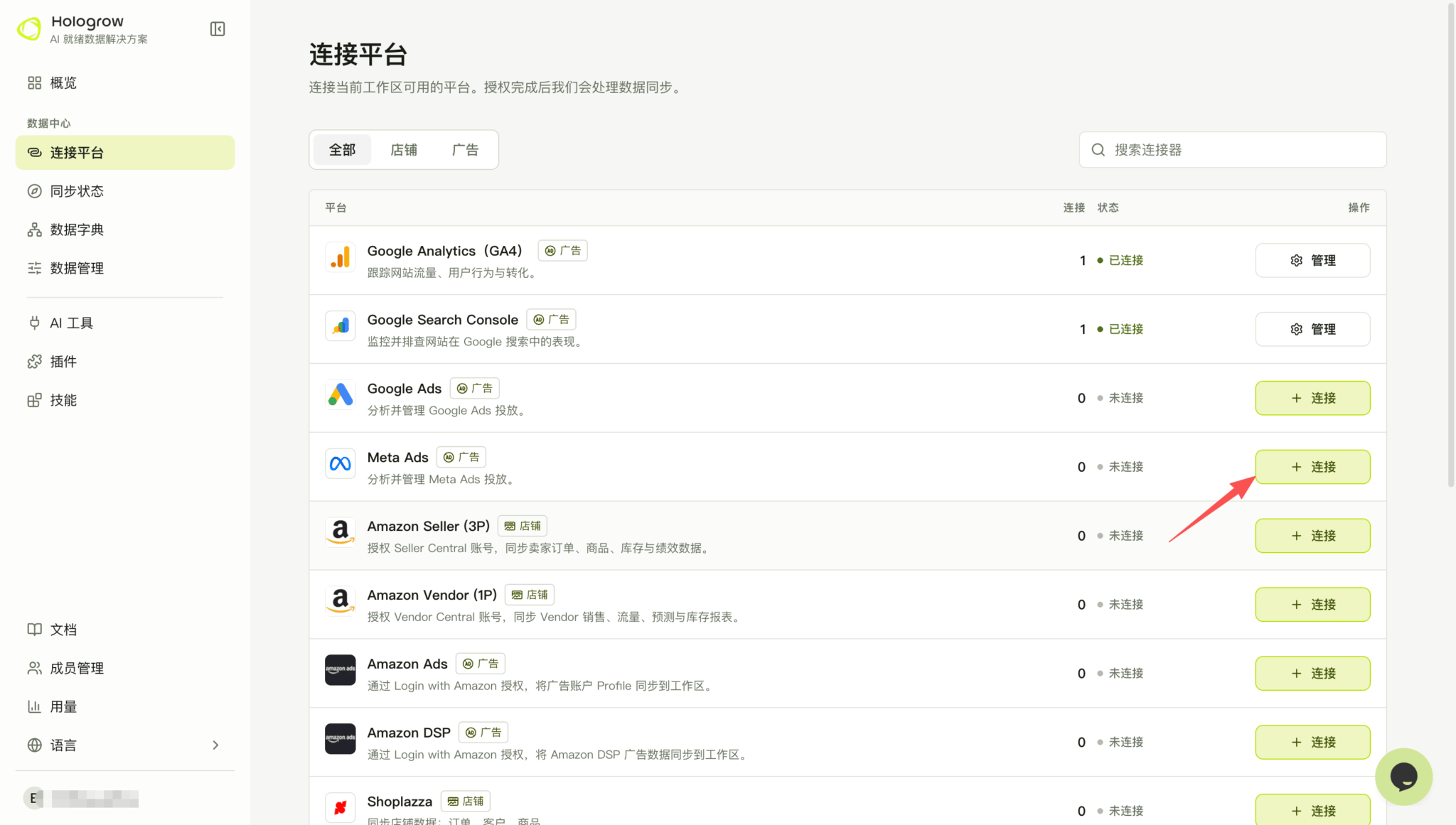 2. Click **Connect**, or open **Manage** to add another connection.
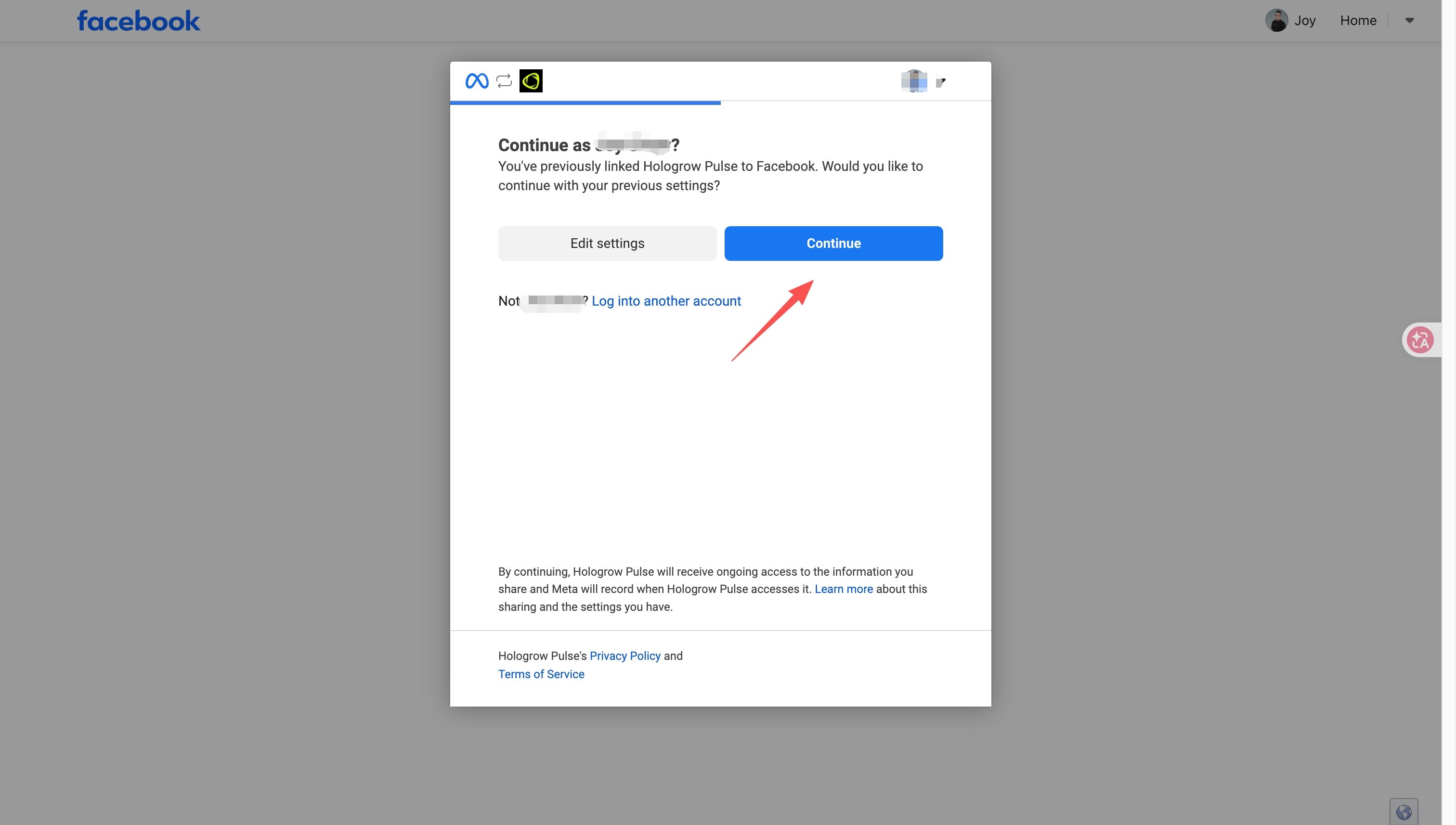
3. Sign in to Facebook and review the permissions on Meta’s consent screen. If Meta offers to reuse previous settings, confirm the Facebook account and click **Continue**. If business or account selection is shown, select the intended business and ad accounts, then approve access.
2. Click **Connect**, or open **Manage** to add another connection.
3. Sign in to Facebook and review the permissions on Meta’s consent screen. If Meta offers to reuse previous settings, confirm the Facebook account and click **Continue**. If business or account selection is shown, select the intended business and ad accounts, then approve access.
 4. Return to Hologrow and open [Data Explorer (connection status)](/hologrow-basics/data-explorer). Find the connected account and confirm its status and account name there. If prompted to start syncing, review the data settings and start the sync.
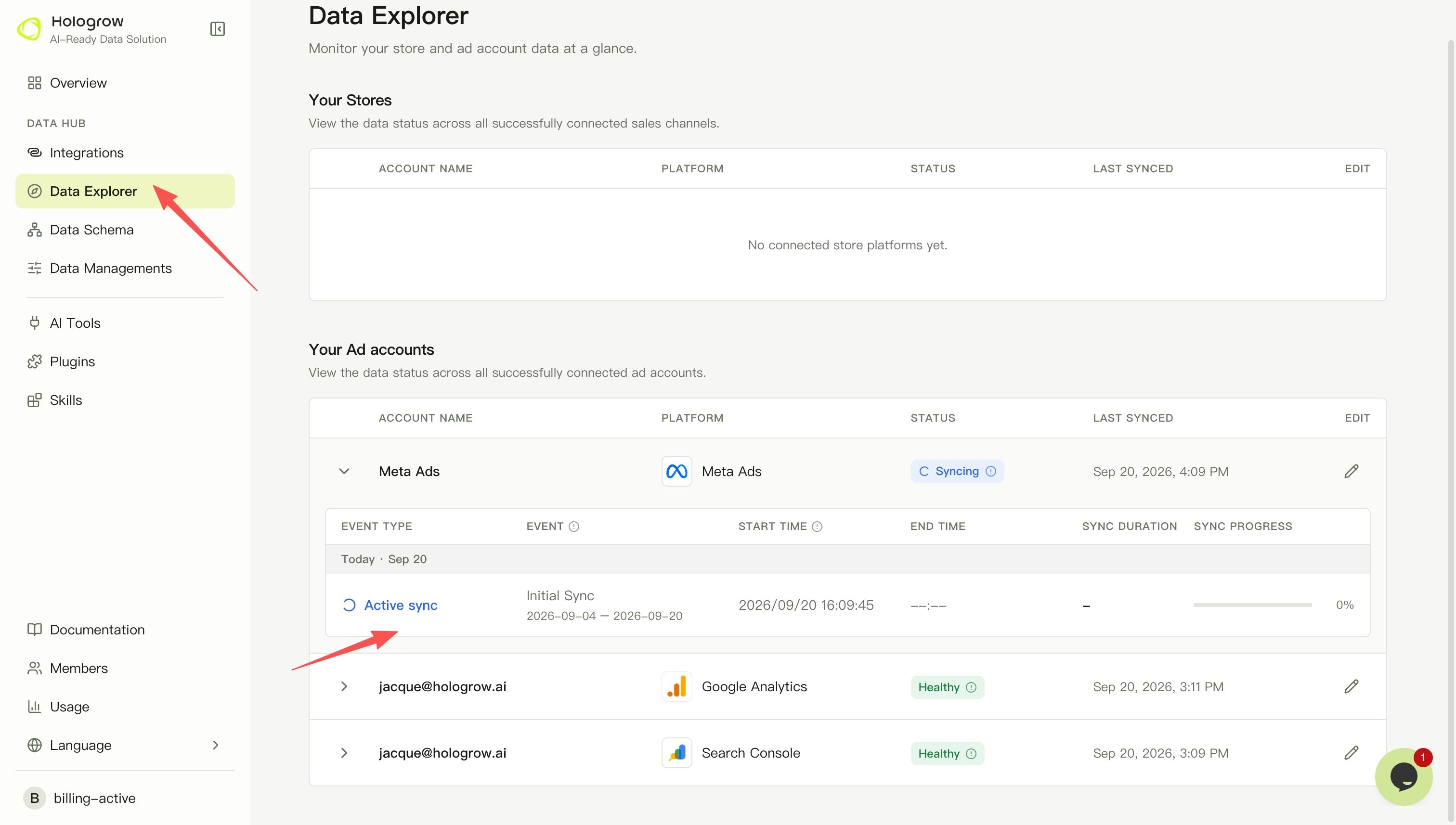 5. Check progress and the last successful sync in [Data Explorer](/hologrow-basics/data-explorer), and wait for the required tables to become available.
## Troubleshooting
Facebook profile access, Page permissions, and ad account permissions differ. If an ad account is missing, ask your administrator to verify advertising asset assignments, then reauthorize.
If authorization expires, reauthorize the affected connection in **Manage**. If the account is connected but data is missing, check whether syncing has started, the requested date range, and whether the source platform has data.
## Related pages
* [Back to Integrations](/hologrow-basics/integrations)
* [Connect AI tools](/hologrow-basics/ai-platforms)
5. Check progress and the last successful sync in [Data Explorer](/hologrow-basics/data-explorer), and wait for the required tables to become available.
## Troubleshooting
Facebook profile access, Page permissions, and ad account permissions differ. If an ad account is missing, ask your administrator to verify advertising asset assignments, then reauthorize.
If authorization expires, reauthorize the affected connection in **Manage**. If the account is connected but data is missing, check whether syncing has started, the requested date range, and whether the source platform has data.
## Related pages
* [Back to Integrations](/hologrow-basics/integrations)
* [Connect AI tools](/hologrow-basics/ai-platforms)