> ## Documentation Index
> Fetch the complete documentation index at: https://docs.hologrow.ai/llms.txt
> Use this file to discover all available pages before exploring further.
# Google Search Console
> 了解如何连接 Google Search Console 并检查同步状态。
将 Google Search Console 连接到 Hologrow,用于同步搜索曝光、点击和查询表现。实际覆盖以账户权限和工作区可用数据表为准。
## 连接前准备
可访问目标网站资源的 Google 账号,并确认目标资源已在 Search Console 中完成验证或获授访问权限。
## 连接步骤
1. 登录 Hologrow,打开 **链接平台**,找到 **Google Search Console**。
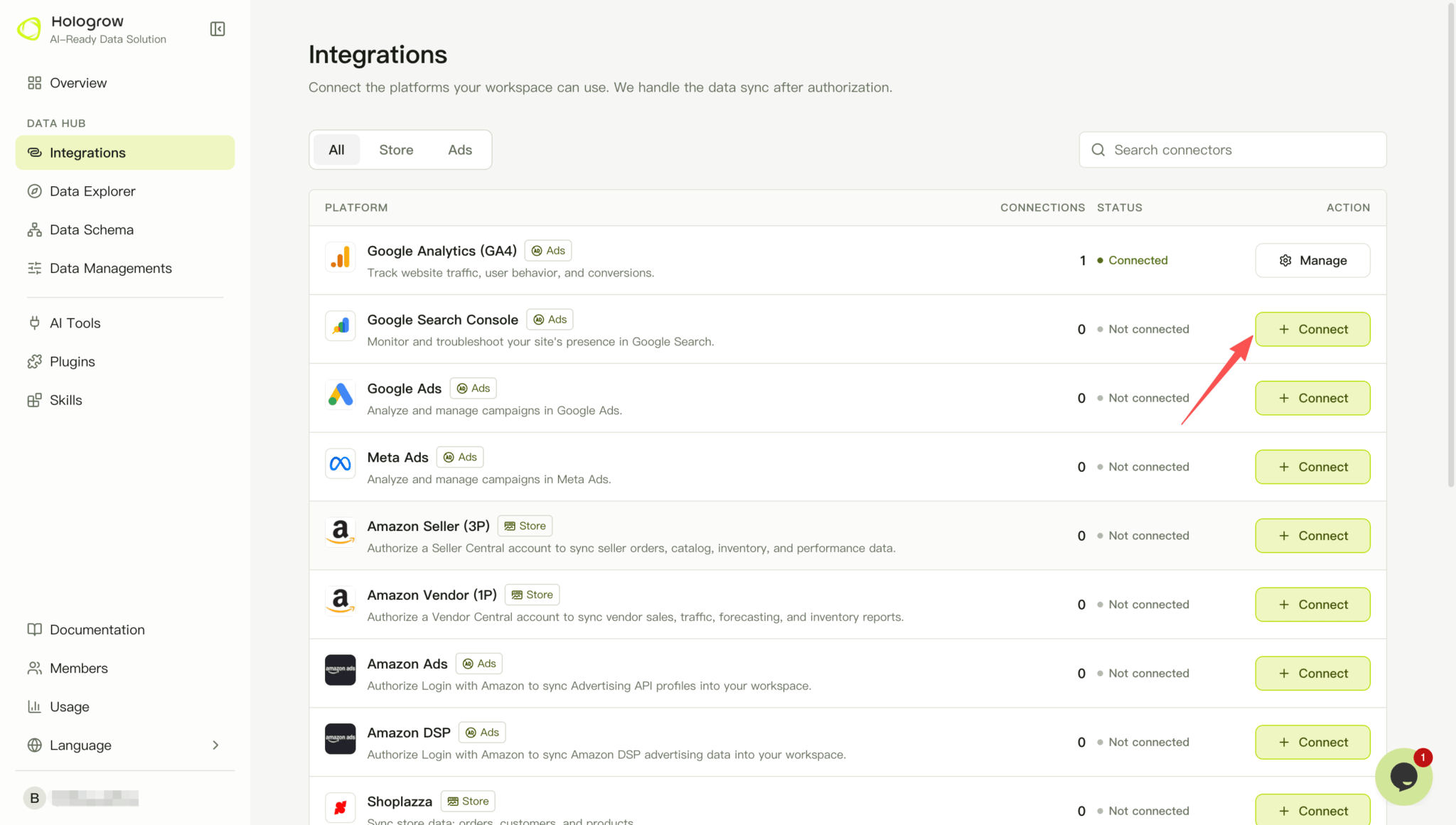 2. 点击 **连接**。已有连接时,打开 **管理** 添加连接。
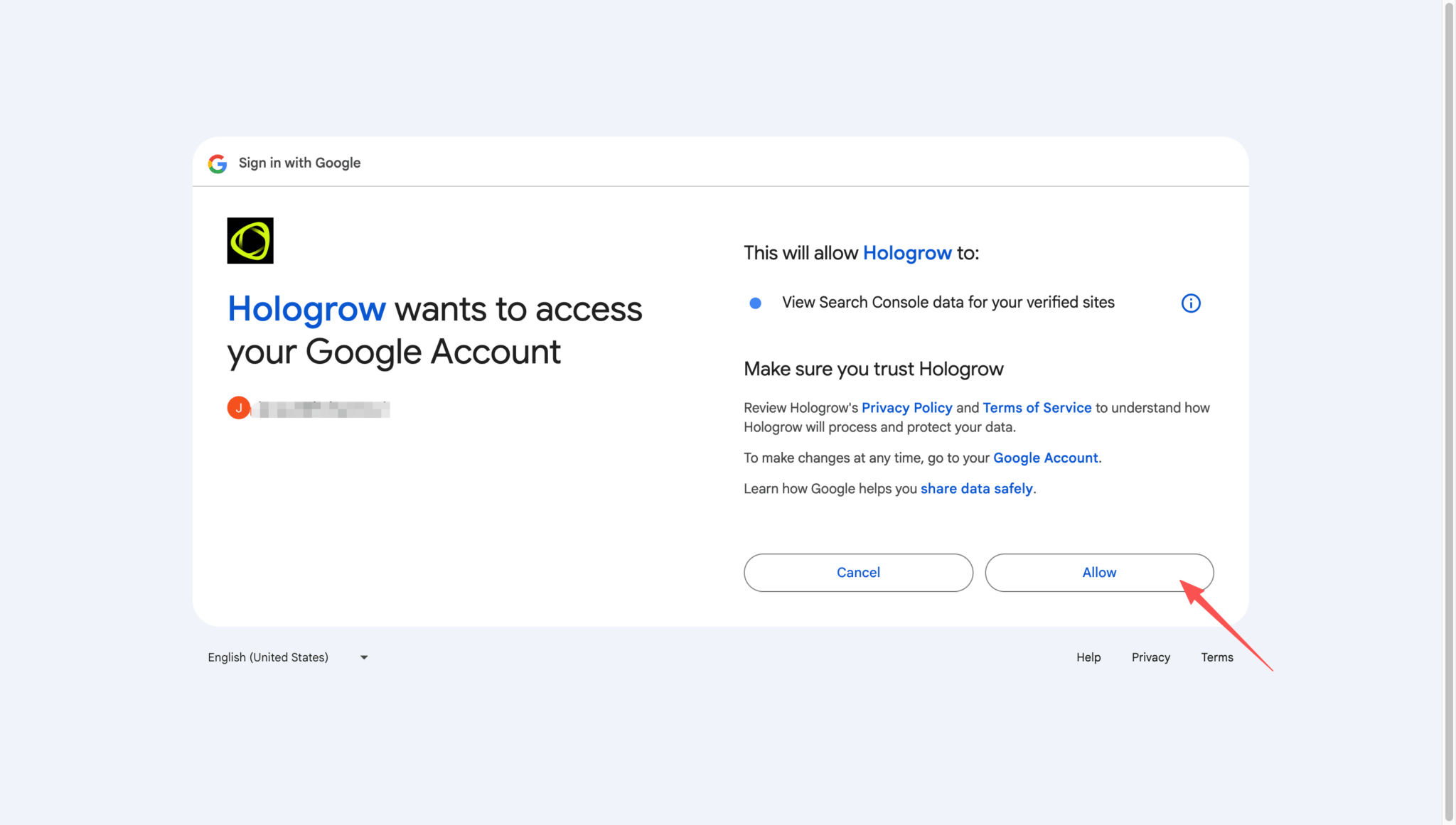
3. 在 Google 登录页面选择有网站资源权限的账号,查看并确认 Search Console 访问授权。
2. 点击 **连接**。已有连接时,打开 **管理** 添加连接。
3. 在 Google 登录页面选择有网站资源权限的账号,查看并确认 Search Console 访问授权。
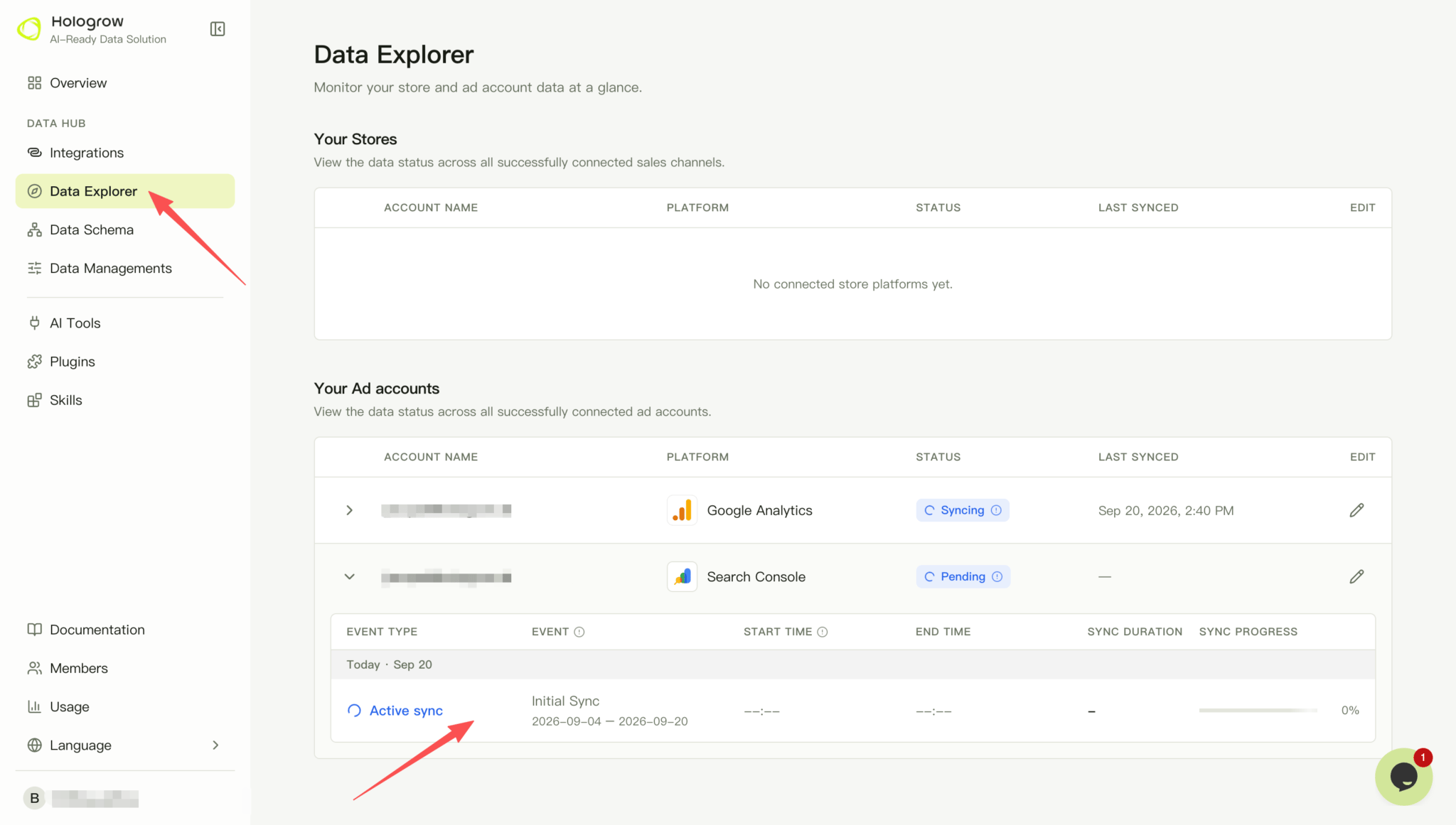
 4. 完成授权后返回 Hologrow,打开 [Data Explorer(连接状态)](/zh/hologrow-basics/data-explorer),找到 Search Console 账户,确认其状态和账户名称。若显示开始同步提示,检查数据设置并启动同步。
5. 在 Data Explorer(连接状态)中展开该账户,检查同步进度和最近成功时间,等待所需数据表可用。
4. 完成授权后返回 Hologrow,打开 [Data Explorer(连接状态)](/zh/hologrow-basics/data-explorer),找到 Search Console 账户,确认其状态和账户名称。若显示开始同步提示,检查数据设置并启动同步。
5. 在 Data Explorer(连接状态)中展开该账户,检查同步进度和最近成功时间,等待所需数据表可用。
 ## 常见问题
确认资源类型和地址匹配:网域资源与网址前缀资源可能不同,http、https 或不同子域名也可能对应不同资源。先在 Search Console 中确认目标资源可见。
授权过期时,在 **管理** 中对受影响的连接重新授权。显示已连接但暂时没有数据时,先确认同步是否已启动、数据日期范围和平台原始数据是否存在。
## 相关页面
* [返回链接平台](/zh/hologrow-basics/integrations)
* [连接 AI 工具](/zh/hologrow-basics/ai-platforms)
## 常见问题
确认资源类型和地址匹配:网域资源与网址前缀资源可能不同,http、https 或不同子域名也可能对应不同资源。先在 Search Console 中确认目标资源可见。
授权过期时,在 **管理** 中对受影响的连接重新授权。显示已连接但暂时没有数据时,先确认同步是否已启动、数据日期范围和平台原始数据是否存在。
## 相关页面
* [返回链接平台](/zh/hologrow-basics/integrations)
* [连接 AI 工具](/zh/hologrow-basics/ai-platforms)