
Using ChatGPT with Hologrow
Use ChatGPT when you want to query your synced Hologrow store and ad data from a ChatGPT chat. ChatGPT connects to Hologrow through a custom MCP app in Developer mode.Prerequisites
- At least one data source connected in Integrations and syncing in Data Explorer
- ChatGPT in a web browser (
chatgpt.com) — not the mobile app for this setup - A plan that supports Developer mode / custom MCP apps (for example Plus, Pro, Business, Enterprise, or Education)
- Workspace permission to create apps (Business/Enterprise often require an admin)
Step 1: Prepare to add a plugin
Open ChatGPT web. Go to Settings → Security and login, then turn on Developer mode so you can add your own plugin.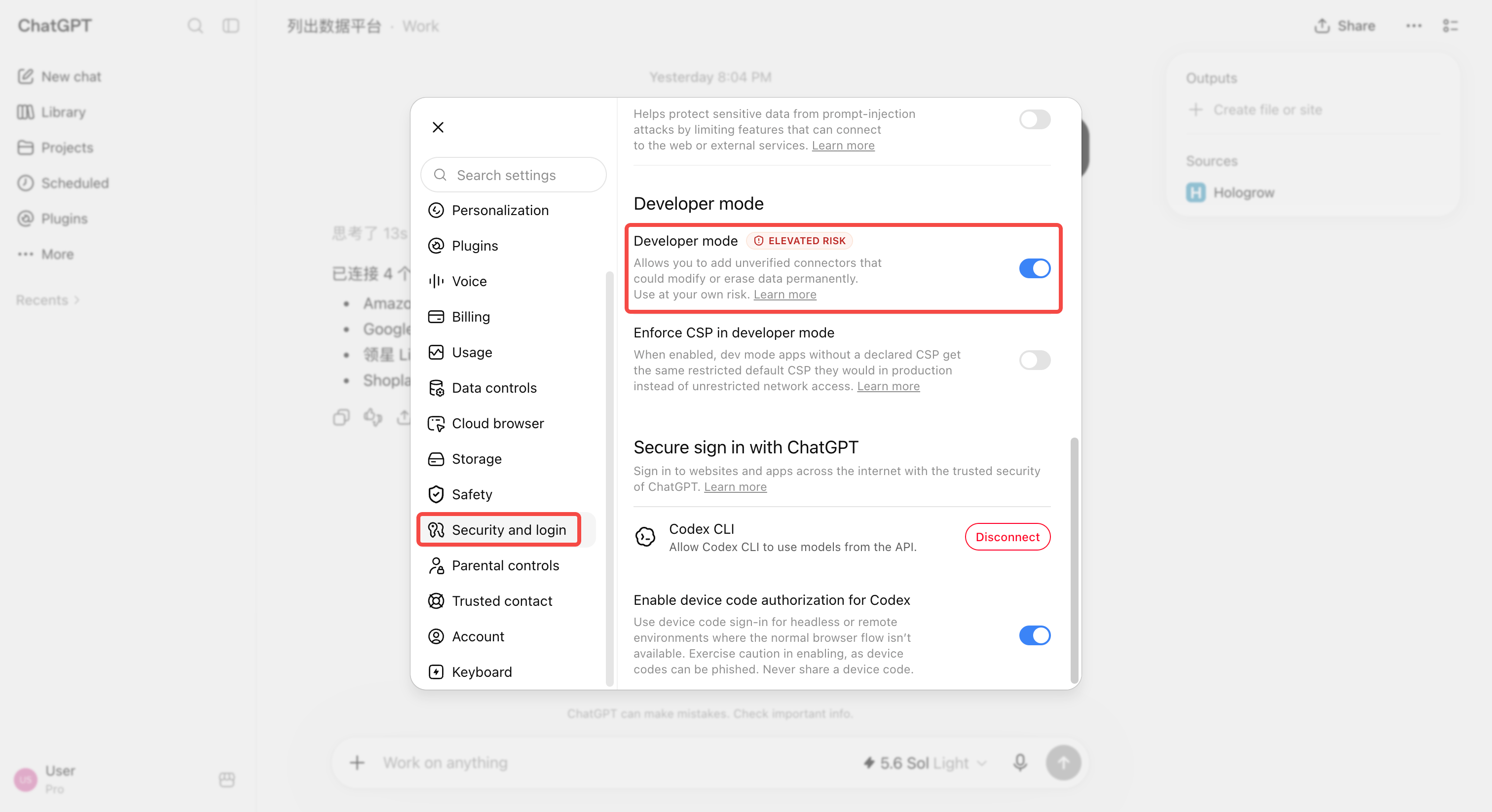
Step 2: Add a custom plugin
In the sidebar, open Plugins and click + in the upper-right corner. Enter the details below and create the plugin.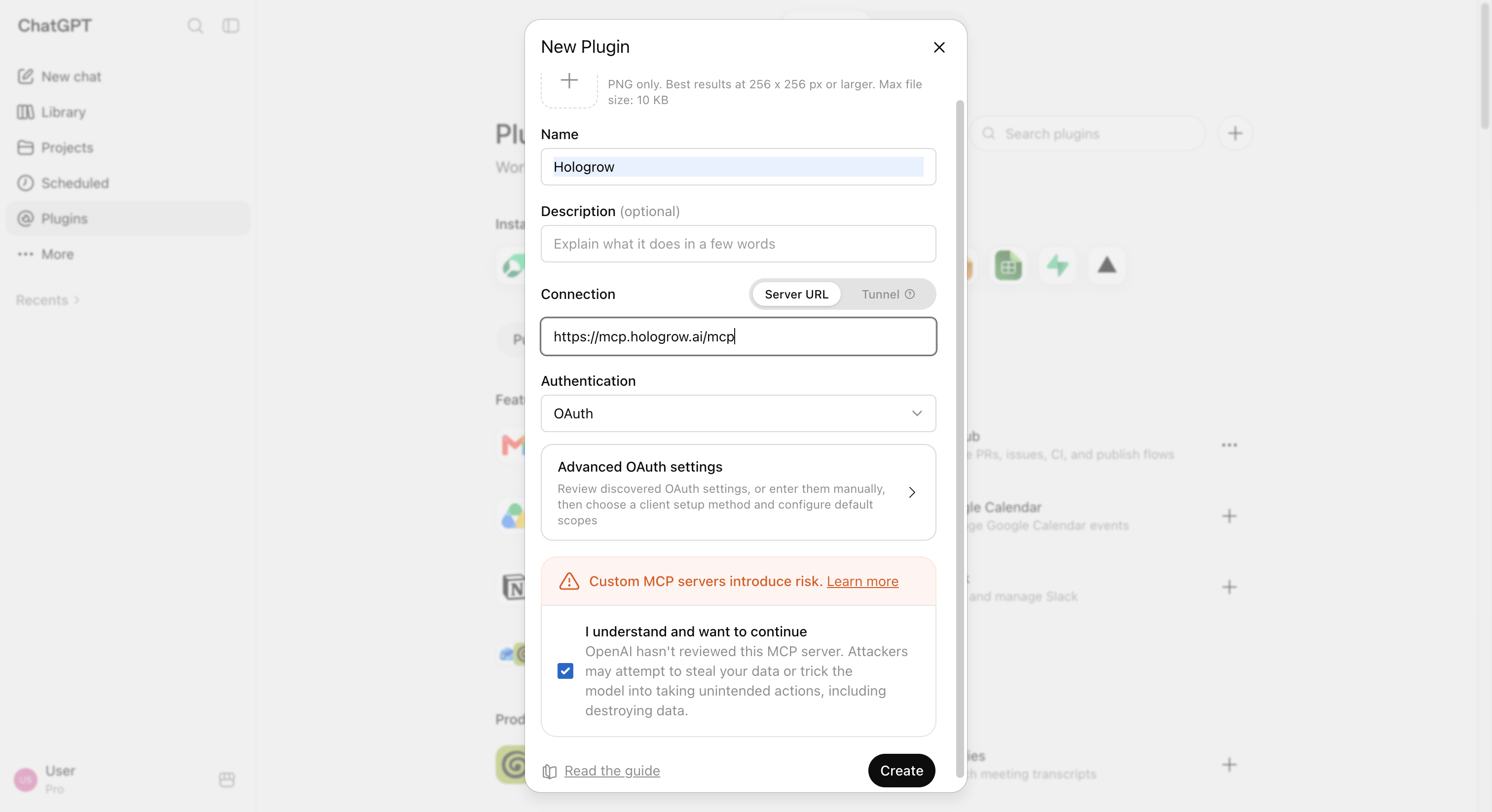
Step 3: Sign in and authorize
Click Sign in with Hologrow, then complete authorization on the new page.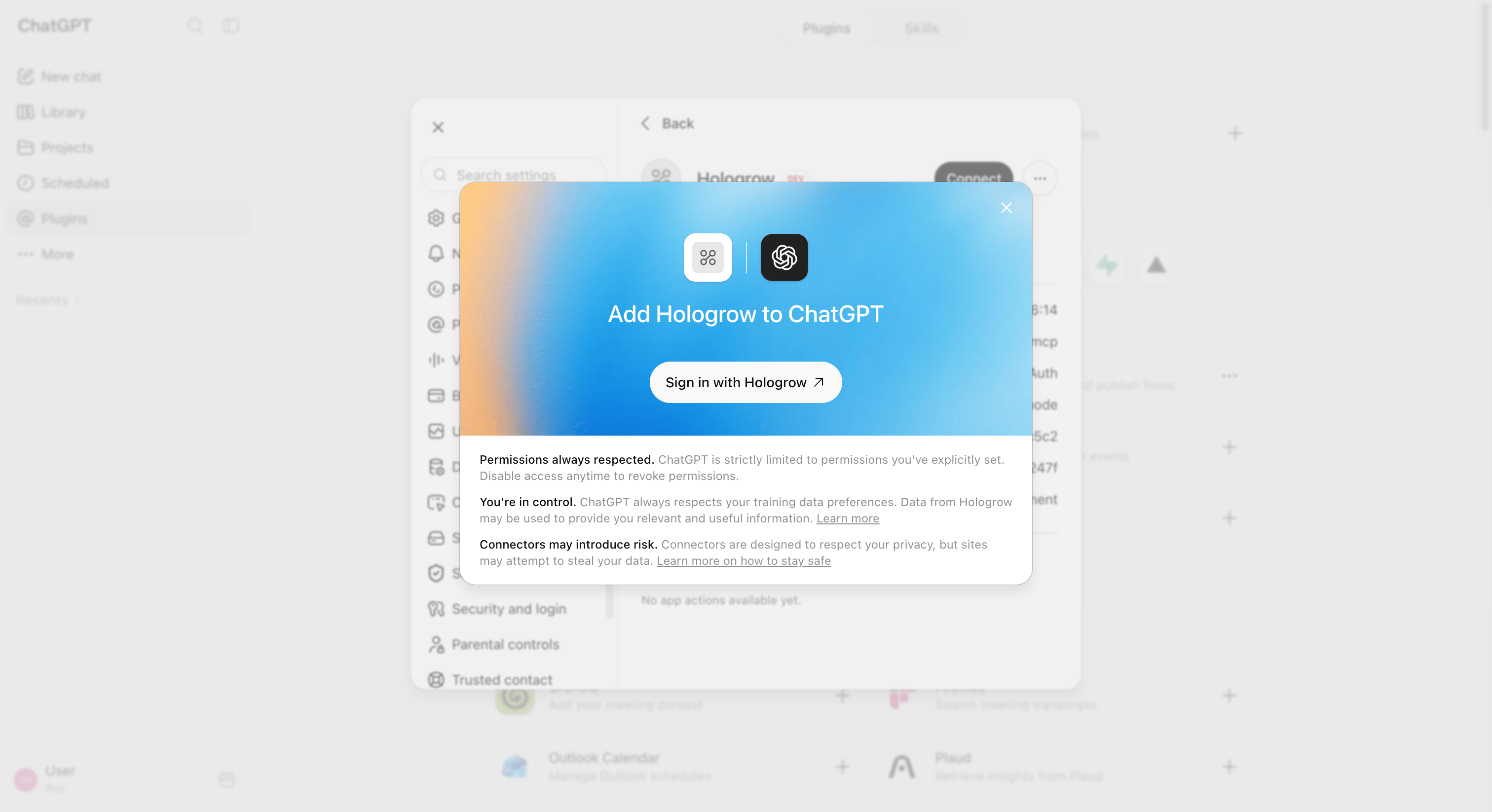
Security
- Hologrow is read-only — it never posts or changes store/ad settings.
- Access is scoped to the Hologrow user who approved the connection.
- Remove or disable the app in ChatGPT settings, and revoke access from Hologrow AI Platforms, if you need to cut off a client.
Troubleshooting
I cannot find Developer mode or Plugins
- Confirm you are on
chatgpt.comin a browser. - Confirm your plan and workspace role allow custom MCP apps.
- Ask a workspace admin if the toggle is missing.
OAuth sign-in fails or loops
- Allow pop-ups for
chatgpt.comand Hologrow. - Temporarily disable blockers that interfere with OAuth.
- Retry in a private window.
I created the app but cannot add it to a chat
- Confirm the app finished creating and is selectable under Developer mode tools.
- On Business/Enterprise, confirm the app is published / allowed for your users if your workspace requires it.